Genealogy from the perspective of a member of The Church of Jesus Christ of Latter-day Saints (Mormon, LDS)

Sunday, October 4, 2015

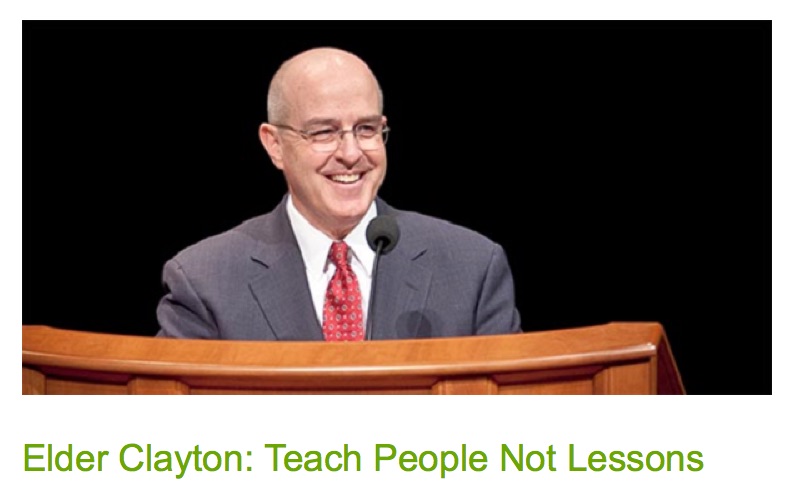
A Lesson From Elder Clayton: Teach People Not Lessons


For all of us who regularly spend time helping people learn how to do their family history, this recent blog post about the experiences of Elder L. Whitney Clayton illustrate some important principles. Here is the link to the entire blog post.

Elder Clayton: Teach People Not Lessons

I hope that I can implement these lessons in my own teaching. 

What's New on FamilySearch -- October, 2015 and Comments

Every so often, FamilySearch sends out a list of the new features and other news in a blog post. This month's offering is from Steve Anderson and is entitled, appropriately, "What's New on FamilySearch -- October, 2015."

There is a note that you can now register for RootsTech 2016, but I will be doing a post on that on my Genealogy's Star blog and so I will only mention it here.

Some of the new developments on the FamilySearch.org website would probably go entirely unnoticed if it were not for these announcements. Not that they aren't helpful or needed or whatever, but they are rather obscure. The first note is about the fact that they added a date to a printed family group record or a pedigree chart. That is always helpful, but since I don't print stuff off, I probably would not have noticed.

Feedback for Auto-Indexed Records

This particular addition to the FamilySearch.org website is a good step towards improving the accuracy of the searches. Essentially, FamilySearch has added the ability to tell through feedback, when a Record Hint is inaccurate.  I didn't have any trouble finding a record hint and I also had no trouble finding one that was in error. Look for the tab to report the error at the bottom of the page. Unfortunately, I couldn't give a screenshot example because FamilySearch.org is not working while I was writing this post.I could not see the suggested record hints, but I could tell that they were in error. For example, 1901 England and Wales Census when my ancestor was living in Utah. Further unfortunately, people keep adding this record and as a source without looking at the other sources of the information in the details that clearly show the ancestor living in Beaver, Beaver, Utah in 1901.

Memories: The People Page Now Has a Help Tray

FamilySearch is adding a Tips Icon at the bottom of many of the pages on the website. They have extended this feature to the Memories section. The People Page now has a help tray.

 On

 all you have to do, is click on the tips lightbulb.

Feedback for the Recently Improved 110-Year Rule Request Permission Form

This is another change you would only have seen if you used the 110 Year Rule Request Permission Form.  Here is what they have to say:
In August, What’s New on FamilySearch announced that the form to request permission to perform ordinances for people born in the last 110 years was improved. People had been confused by some of the questions on the old form and were having their request rejected because they weren’t filling out the form correctly. Many areas have sent feedback that the new form is much easier to understand.
FamilySearch also indicates that there will be making the ability to change relationships much easier in the future. It looks like this will be a very helpful addition. For details, please review the blog post. There are several other developments mentioned in the blog post. Some of these I have already mentioned in previous posts such as the ability to directly search Partner websites from a person's detail page.They also indicate that the Memories page will be redesigned.

Personalized Home Page

Research indicates that about 25% of the users have been introduced to the Personalized Home Page. I've had this for some time, but I must admit that I don't spend a lot of time looking at it since I am usually going to a section of the website directly. However, I certainly find it more appropriate and useful than the old design. Right now, if you have the Personalized Home Page, you can opt out.

Mobile Apps: Record Hinting and Manage Relationships

FamilySearch is announcing a major upgrade to the Mobile Apps. Here is their description:
If you are using a mobile app and there are record hints for people in your pedigree lists, you will see a blue icon (the same as the web icon) on the person’s details header. Click the icon to see the list of record hints. 
You will be able to see that an ancestor has a possible record to review. You can attach the record as a source. If you find new ancestors in the record, you can add them to the tree. In the future, we will provide a feature that will expand the list of persons with hints. 
The ability to edit, delete, or remove spouse relationships or parent and child relationships using the mobile apps is coming.
I always think that it is very risky to announce programming changes in advance since no timetable is specified. During the past year or so there have been multiple announcements about the implementation of a new indexing program for FamilySearch apparently they are still having problems implementing such a program.

Portions of FamilySearch.org Will Soon Be Available in 42 Languages

Here is the explanation of what this entails:
The following portions of FamilySearch.org will soon be available in 42 languages: the start page and booklet tool for the My Family: Stories that Bring Us Together booklet; log in; create and manage an account; and the Temple section. 
Many Church members who want to participate in family history work don’t speak one of the ten languages currently supported by FamilySearch.org. There isn’t enough budget to translate the entire site, so we selected pages that would allow members to create an account and log in, enter their family into Family Tree, and reserve their family names to take to the temple. 
If users have selected a preferred language, the sections that are available in 42 languages will display in the user’s preferred language. If the user has not selected a preferred language, the system will detect the language of the browser and display the sections in the appropriate language. 
To help users recognize those portions of the website that have not been translated into 42 languages, we left the header and footer for those sections in just the ten languages.
There seems to be a major push towards internationalization of FamilySearch and of the websites. I am guessing that is significant amount of their resources are going into broadening the reach of the website. We will probably see development such as this occurring with more frequency in the future.

There are also references to increased access to the My Family booklet and the War of 1812 Campaign. More on these later.

Saturday, October 3, 2015

The Mystery of the Disappearing Databases

Prominent genealogy blogger, Randy Seaver, the author of Genea-Musings Blog, has been commenting on the appearance and disappearance of online genealogical databases. See "Here Yesterday, Gone Today: the New Jersey Wills and Probates 1656-1801 Records." Obviously, from the dates of these records, this is not a U.S. Copyright issue. Any such documents would either pre-date the U.S. Copyright Law's protection or would have long since lost the protection. The issue is that certain genealogically valuable collections have been added to large online databases, such as FamilySearch.org and Ancestry.com and then have been summarily removed. So what is actually going on?

The incident reported by Randy is only one of a huge number of similar incidents that have occurred during the past few years. Many documents and collections of family history importance have limited access. The basic reason is simple and has been appropriately expressed in the Doctrine and Covenants Section 121, Verse 39:
We have learned by sad experience that it is the nature and disposition of almost all men, as soon as they get a little authority, as they suppose, they will immediately begin to exercise unrighteous dominion.
Unrighteous dominion is a complex subject. But in the sense of its application to these types of circumstances, it results in bureaucratic pettiness and over-reaching. There are many complex reasons why access to records is limited. With more modern records, there are concerns of privacy in addition to copyright claims. But why would old records be subject to limited access?

The answer to this question is twofold: control and monetary gain. Governments, agencies and even private record repositories have long recognized that there is a monetary value associated with the possession of vast collections of records. Simply put, you can charge people money to view the records. As an example, take the phenomena of university libraries "special collections." Documents with presumed historical value (read monetarily valuable) are "protected" by only allowing a certain access. This "protection" is usually explained as a need to preserve the original documents. Where this breaks down is when the institution prohibits copying the document. An extreme example of this is the United States Archives. You can get a glimpse of this issue by reading through their Frequently Asked Questions.  Here is a statement from that page that illustrates my point:
Why aren't all the records online? 
NARA tries to make as many records as possible available via the Internet. This is a daunting task, even with records that were created in electronic format. More information on this effort is available at Digitization at the National Archives
The volume of records in NARA's possession that pre-date electronic formats is so vast, that costs and resource availabilities will most likely preclude the conversion of all of them to electronic formats. However, as resources permit, NARA will continue to select records to be digitized and made available electronically.
If you follow up with research on this issue, you will soon find that this "digitization" effort is being done by fee-based entities. In other words, yes, the documents will become available if you have access to those companies' collections.

Let me illustrate this issue with a hypothetical situation. Let's suppose that I find a huge collection of genealogically important documents (such as wills, probate, land records, etc.) is located in a certain repository. Let's further suppose that there are no privacy or copyright issues with the documents. Shouldn't I be allowed to make copies of the original documents?

The answer is often, yes, if you pay for the copies. It is also yes, if you have the right credentials. It may also be yes if you fall into the category of those allowed access, i.e. university professors and professional historians. I was once asked to leave a "private" library because I wanted to look at the books. I have been told not to take photos by guards.

It should not be a surprise at all that collections of documents appear and then disappear from online access. These agencies, repositories, special collections, etc. will often change their mind about access if they see that there is a monetary benefit to the institution. I am not being cynical. I am merely reporting what happens.

Again, I refer to the U.S. National Archives. There is a website page entitled, "Obtaining Copies of Records." Quoting from that page:
When records cannot be copied 
There are sometimes restrictions that prevent records from being copied. The most common are preservation priorities, copyright, and donor restrictions. Details..,
If you have questions about specific materials, please check with the appropriate reference staff.
Who owns the documents in the National Archives? Why can a "donor" restrict access?

The reality is that these restrictions and interests exist. Those who consider that they "own" certain documents will always limit their access. As researchers, we can only try to work within and sometimes around the system.

By the way, I have a strict personal policy of always honoring access requirements. It does not help me or anyone else if I am banned from access because I violate local policies about copying records. Yes, I sit there with my allowed pencil and a piece of paper and hand-copy out the information from the records where that is allowed.

Friday, October 2, 2015

Free Family History Library Webinars -- Update

The world famous Family History Library in Salt Lake City, Utah is changing the way it does its free webinars. Here is the announcement of the changes:
In 2013, the Family History Library began offering some of our classes as Webinars. These webinars have been very popular. We have learned much as we’ve hosted these classes online. Earlier this year we changed platforms, but the change did not provide the best experience for the class attendees. We appreciate all those who continued to attend these webinars, even with the difficulties in connecting to the classes. 
We are pleased to announce that future Family History Library online webinars will be using Adobe Connect to help you more easily connect to a webinar you want to view. This means attendees will find it easier to access the classes and will provide an improved viewing and listening experience. 
We have added a new link to make it easier to see our monthly class schedules. Some classes are taught only at the Family History Library and will not be made available as a webinar. Where possible, we are also teaching some classes as webinars. 
The monthly schedule will include links that will allow you to join each webinar being offered. To access the class schedule and webinar classes, visit the Family History Library Classes and Webinar page.
You will need to click on the link to the Family History Library Classes and Webinar page to see the schedule.

Searching the Partner websites directly from FamilySearch Family Tree

We have now had the ability to search the FamilySearch.org Partner websites directly from an individual's Detail Page in the Family Tree program. Since I wrote a blog post noting the addition of the links, I have been receiving quite a few comments, both from members of The Church of Jesus Christ of Latter-day Saints and those who are not members. Apparently, there is no difference in seeing the links. However, it still remains true that a person must be registered on the website to see the Family Tree entries at all. If you click on the link to the Family Tree, the program will either ask you to sign in or suggest that you register.

The Partner Programs are shown here in this screenshot of Thomas Parkinson's Detail Page.


In my experience, all of the four programs, FamilySearch.org, Ancestry.com, Findmypast.com and MyHeritage.com, still exhibit the same pattern of different levels of search capabilities. Before going on with this analysis, I would point out that even though results may vary between the four programs, there is no accurate or objective way to adequately compare the results of their search capabilities because the programs have their own set of records some of which are unique. There is always the possibility that each program will produce a record that is not available on any of the other large database programs.

The first level of search occurs if a user of any one of the programs searches directly for an individual using user-entered search terms in the default fields. For example, if I go to one of the programs and click on their default search screen and start putting in names, dates and places, each of the programs then produces a list of results. Although the four programs vary somewhat in the perceived accuracy of the results of a manual search, it takes some degree of skill and persistence to see more than the most common types of records. This type of search considers all of the collections (presumably) on the website.

Better results can be obtained by searching in each of the programs directly into a specific collection of records. For example, if I choose one U.S. Census year to search, my ability to find my ancestor increases. Each of the programs allows you to search an individual collection, although the definition of a collection varies from program to program.

In both of these manual searches, the results may produce such a large number of individuals as to appear to be inaccurate, even if the there is, in fact, a high degree of inaccuracy. The average user interprets a long list of results as inaccuracy. On the other hand, if a search returns no results, the average user immediately assumes that the website has no pertinent records, when in fact, the user's search terms may not agree with the content of the records. For example, if I do a user-generated search, I may enter the name as I assume it to be recorded say in English, when the records have the name in the person's original language. Only MyHeritage.com has addressed this particular issue by translating name searches into different languages. Even with name translation technology, a manual search will only produce entries that match the search terms. If I am searching for John Jones and the ancestor's name was really Robert Jones, my searches will not likely find the correct information no matter how efficient the search engine may be.

Each of the four programs also provides an automated search for record hints for entries in a user submitted family tree. These have proved to be very accurate because they go well beyond the capabilities of a user to enter the same information used by the programs to make a search.

Going back to the links in the Family Tree. Each of the four programs provides a mid-ground search capability, more accurate than a user entered search, but still not as accurate as the automated record hints. In each case, the programs use the information entered into an individual's detail page to make the search. So, for example, if I am search for Thomas Parkinson above, I can click on each of the four links and have the programs use what is present on the detail page to search for my individual. In this case, the accuracy is likely better than if I just enter data, but the results of any search will still depend on the accuracy of the information I have in my family tree.

In the end, a search using the links to each of the four database programs will likely produce results that are better than simply searching for an individual by typing in search terms in search fields, but perhaps not.

There is another issue, of course, and that is that the person using the search links does not have a subscription to one or more of the programs. That will prevent a full utilization of the results and will very likely result in a suggestion that the user subscribe to the program. Why would anyone be surprised at this result? Three of the programs are fee based and it would not be a very good practice to allow full access to the programs merely because a search was made from FamilySearch.org.


Wednesday, September 30, 2015

Adding Memories to FamilySearch Family Tree Video now on YouTube


The new video this week on the Brigham Young University YouTube Channel is "Adding Memories to FamilySearch Family Tree." This particular video was done by my wife, Ann Tanner. As I indicated, we are in the process of adding one video a week. You may wish to subscribe to the channel to be sure and get notice of all the videos.

The State of FamilySearch Indexing

FamilySearch just published a blog post entitled, "Straight Talk about the State of Indexing." For the past two years or so, I've been hearing about the fact that the FamilySearch Indexing program would be moved entirely online. Presently, the program requires you to download a segment to your computer for access to the program. In addition, there is some talk about a mobile version of the program. A limited mobile version of the program was released and then withdrawn. There is the latest statement from FamilySearch regarding the status of a new release:
Old Indexing Program versus New Indexing Program 
What can I say? Yes, we’ve been talking about a new indexing program for nearly two years. And, yes, it has been in development for even longer than that. Clearly there were miscalculations about the complexity of the task, the amount of time it would require, and even how it would be received by our beta testers. We have learned, and we have gotten smarter. A limited number of volunteers are now doing actual indexing work in a greatly improved version of the program. But we still have a long way to go to make sure it is ready to support the large number of volunteers and variety of work. 
Meanwhile, the current indexing program is what we have to use. It has been a mostly steady workhorse for eight years, and we expect it will continue to serve us well for at least another year. The transition to the new program will be gradual and will occur in phases. We’ll be sure to keep you informed as progress continues. 
In the meantime, please keep using the current program. We have heard some stake indexing directors and group administrators are no longer teaching people how to use the current program because they are waiting for the new one. Please do not wait! Keep training people so they can be fully up to speed and engaged in indexing when the time comes to make the switch.
Since there is no firm deadline set forth in the announcement, I would suggest that everyone follow the advice and keep using the current program.

The rest of the blog post acknowledges that easy English projects are getting hard to find. Here is the statement from the blog post:
Easy English Projects Are Getting Harder to FindThis is no surprise to you if you’ve tried to find one of those favorite census or obituary projects lately. We are victims of our own success. The big, easy English collections that were once plentiful are now mostly indexed and published for researchers on FamilySearch.org. Congratulations are in order! But, there’s a downside to these amazing accomplishments as well. 
The big, easy English record collections still out there are few in number and aren’t always the kind people like to index. Passenger ship lists, marriage records, military records, and such contain a wealth of valuable genealogical information but are rarely volunteers’ first choice. I liken the situation to putting broccoli and macaroni and cheese in front of a child. Nine times out of ten the child is going to choose the macaroni and cheese. 
If you can’t find what you really want to work on, will you give one of the less popular projects a try to see if you can acquire a taste for the other records as well? I promise, it’s good for you—and it makes a huge difference for researchers. It will also help to preserve the few beginner projects for the actual beginner indexers.
If you have been watching the new Historical Record Collections as they are being loaded onto the FamilySearch.org website, the statement should be no surprise to you. Here, I would suggest that the indexers began looking at the less popular options that may be slightly more difficult but the results and the benefit to the genealogical community is still there.

The blog post also indicates that non-English indexing is now the greatest need. If you can a foreign language or if you would like to learn consider indexing in another language.